

Inspection | Risk | Compliance | Action
Insight Before Incident
Identify hazards, assess risk, ensure compliance, and close corrective actions from single safety intelligence platform along with commercial audit report and continuous monitoring.
Features & Benefits
One platform for inspections, Risk & CAPA management
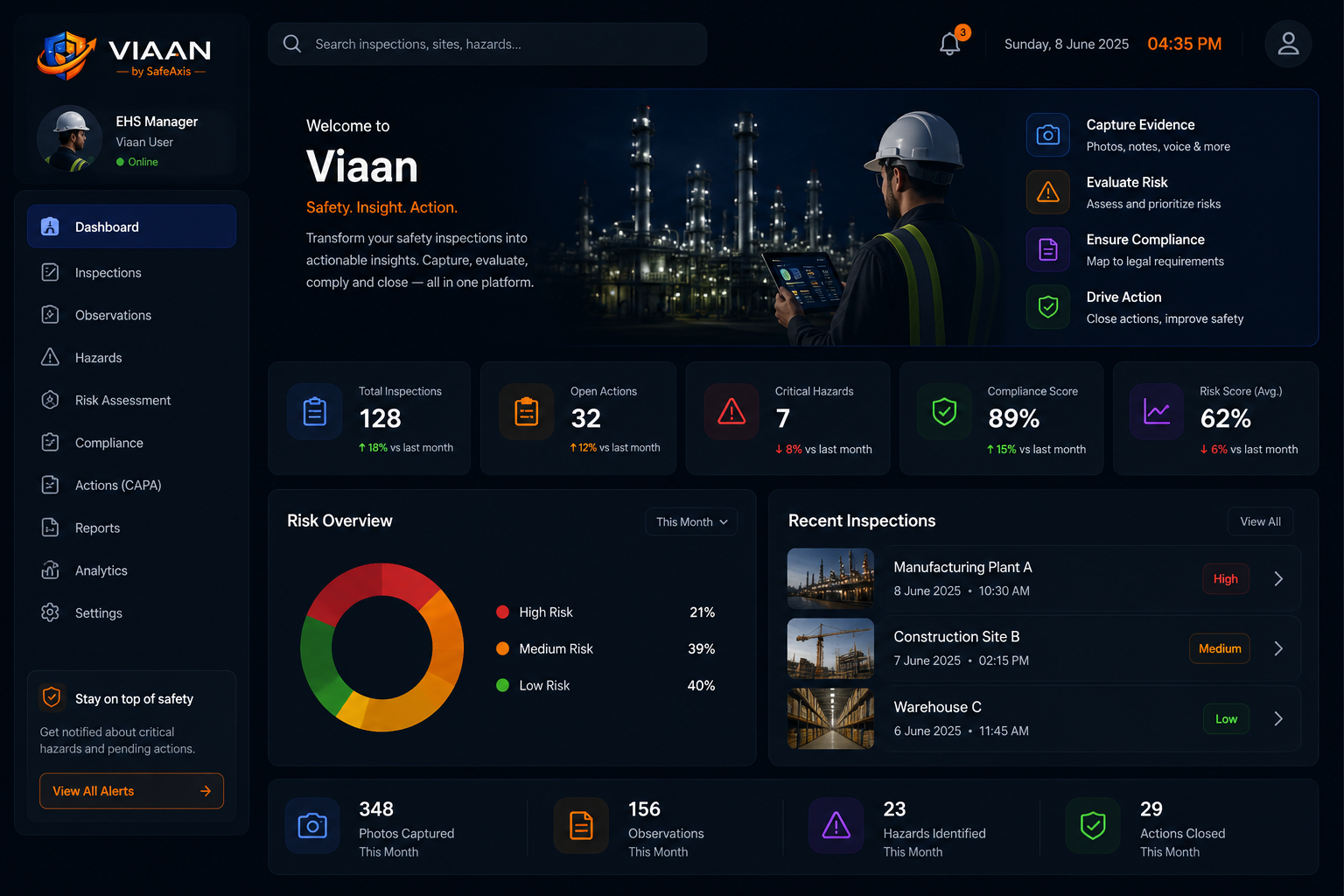
From hazard identification to CAPA tracking, Viaan helps safety teams capture findings, assess risk, document evidence, and generate professional audit reports from single platform with management insights and dashboards.

Smart Site Inspections
Capture observations, auto input environmental sensor data, unsafe acts, unsafe conditions and compliance gaps directly from site photography and field inspections with GPS based risk location mapping/risk heatmaps.

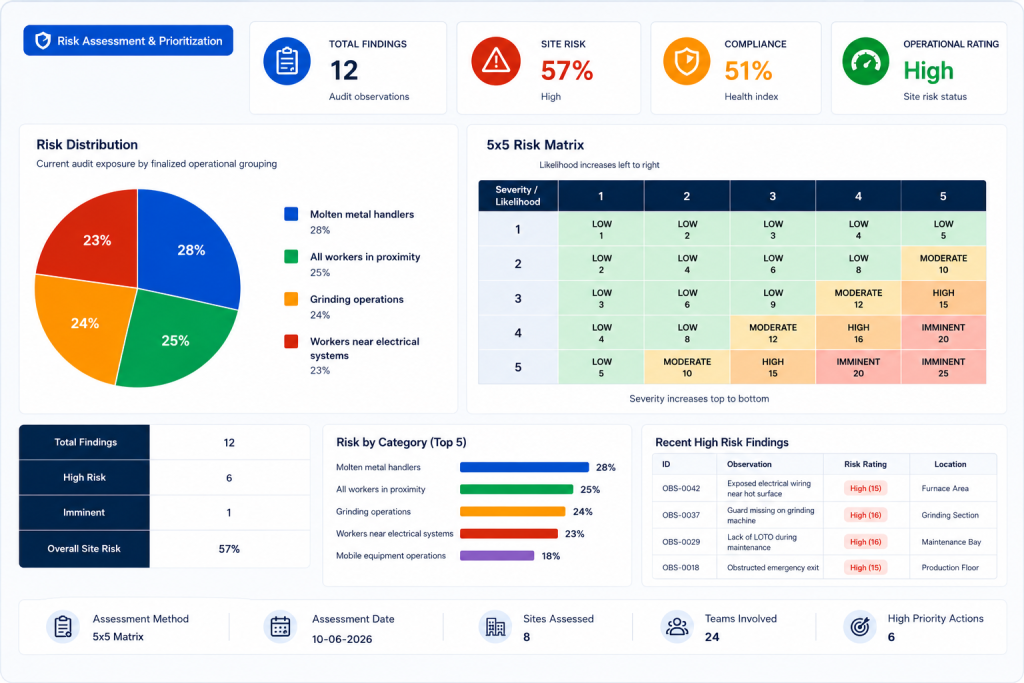
Risk Assessment Engine
Automatically structure hazards, consequences, controls and risk rating to support consistent risk evaluation.

Corrective Action Tracking
Assign action, monitor closure status and maintain evidence records until every observation is resolved.

Professional Audit Reports
Generate structured inspection and audit reports with findings, photographs, recommendations and executive summaries.
Compliance Visibility
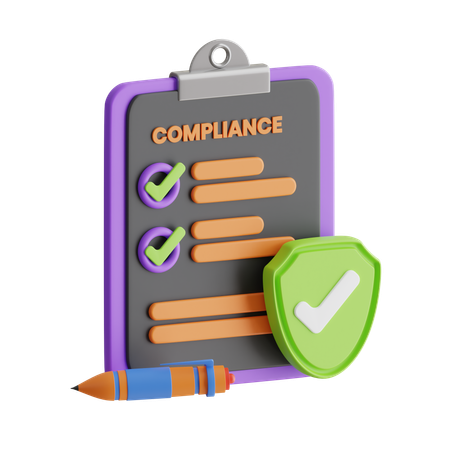
Maintain visibility of safety observations, recurring risks and corrective actions across multiple facilities.
Centralized Safety Records
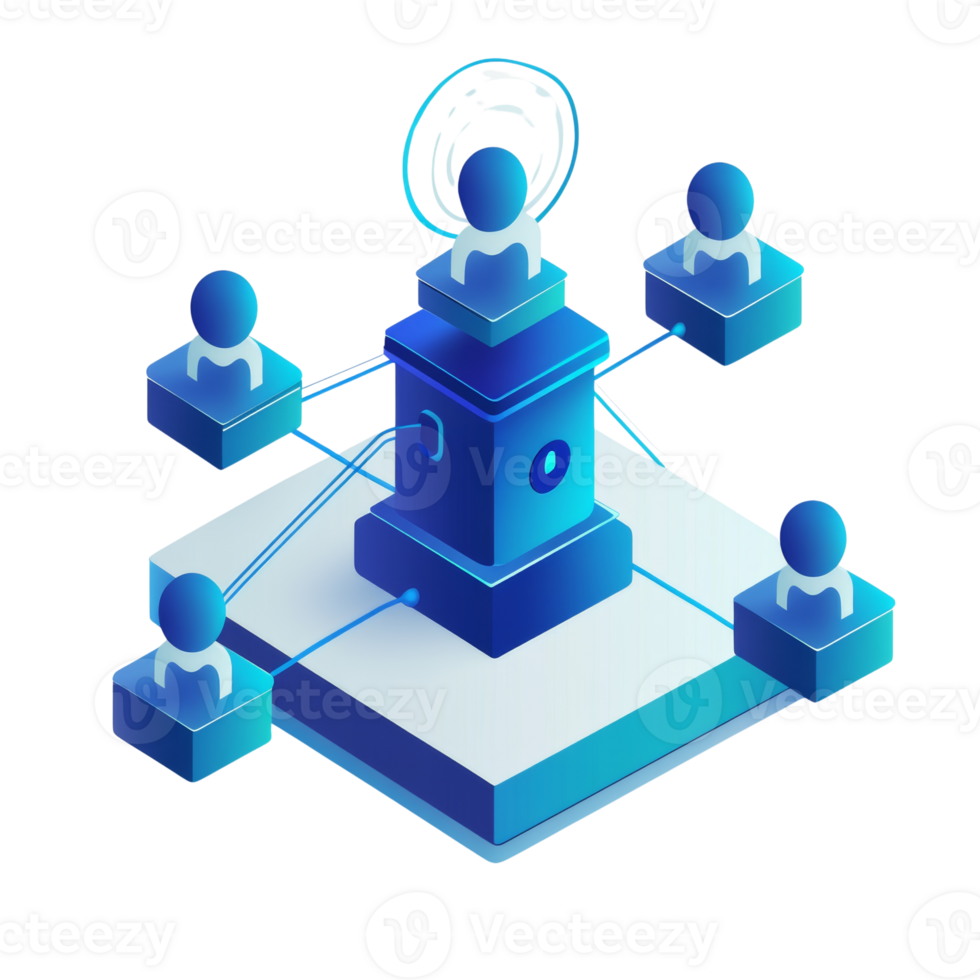
Store inspections, reports, evidence photographs and historical findings in one searchable location.
Why Viaan
From Observations to Workflow in a Single Workflow
Traditional inspections often rely on scattered photographs, spreadsheets, handwritten notes and delayed reporting. Viaan brings inspection findings, risk evaluation, corrective actions and reporting together in one structured workflow.
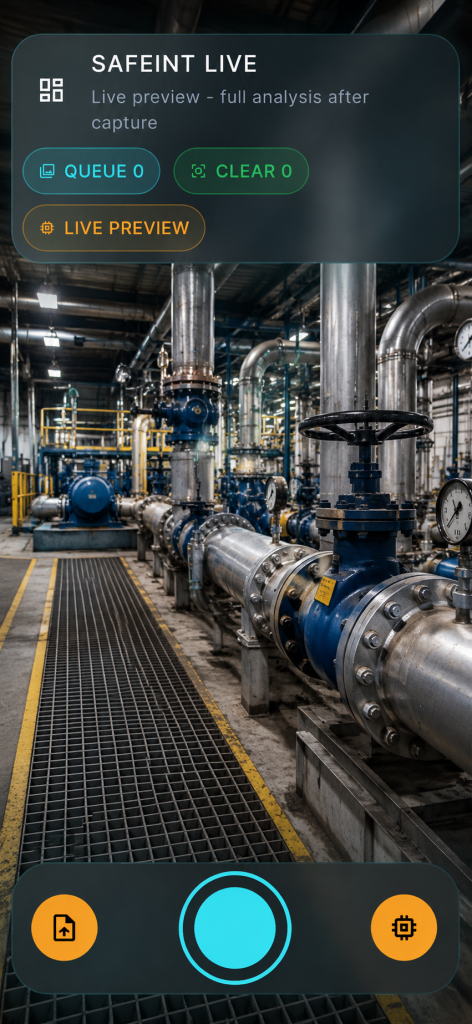
Capture What Matters
Document hazards, unsafe acts, unsafe conditions, and compliance observations directly from site inspections with supporting evidence.
Assess Risk Consistently
Apply standardized risk evaluation methods to prioritize findings and focus resources on the most critical issues.
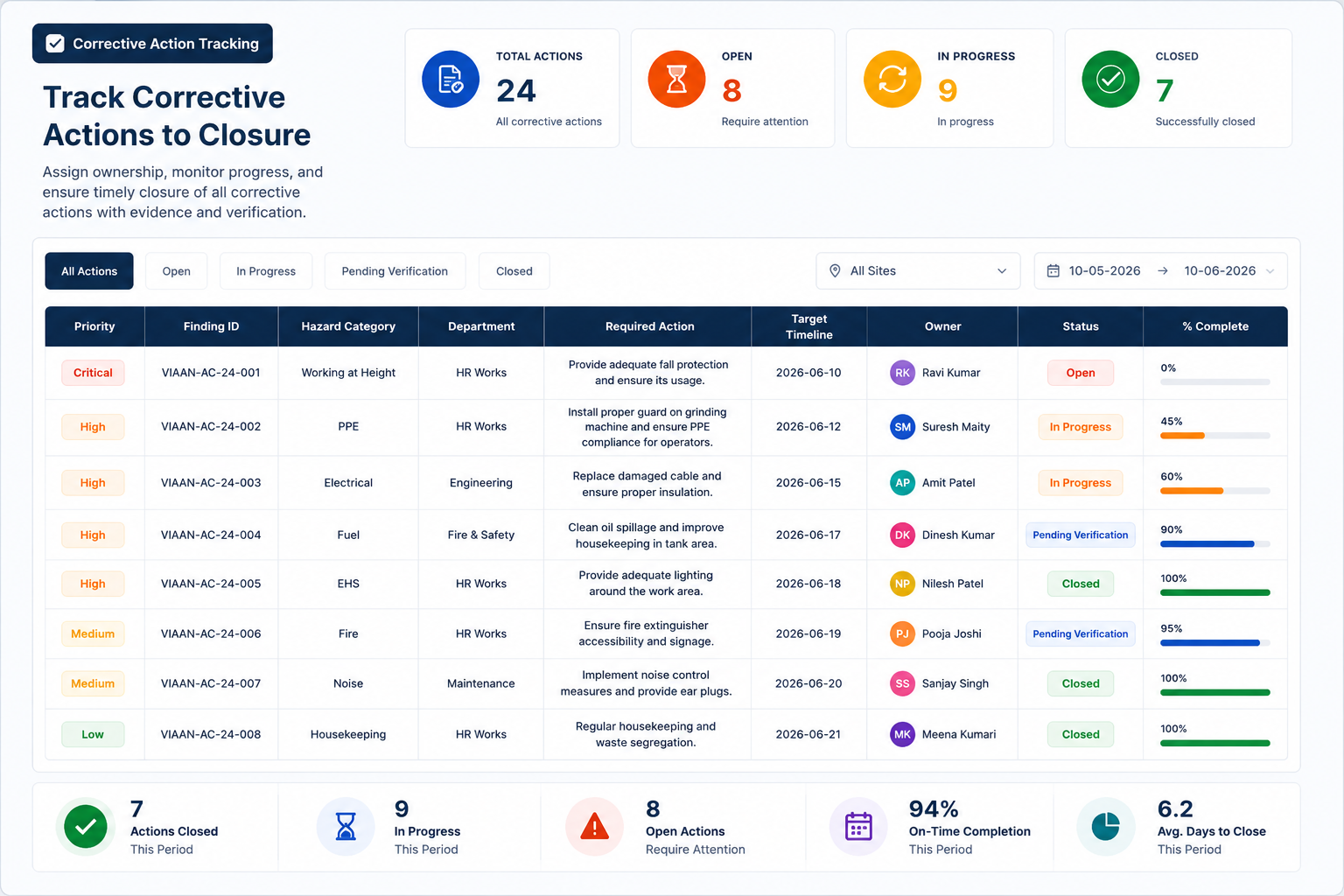
Track Corrective Actions
Assign ownership, monitor progress and maintain closure evidence until actions are completed and verified.
Testimonials & Reviews
Hear From Our Happy Clients: Their Stories
Lorem ipsum is placeholder text commonly used in the graphic, print, and publishing industries for previewing layouts and visual mockups.

Emily R.
Marketing Lead

We switched from a legacy tool, and I can’t believe the difference. Setup was a breeze, and every question I had was answered within minutes. That level of care is rare.

Mark T
Startup Founder
I love how everything just works. No steep learning curve, no messy configurations—just a clean, powerful product that delivers what it promises.

John Doe
Founder
Beyond the robust features, what really impressed me was the onboarding support. They walked me through everything step-by-step and made us feel valued.

Jason M
Product Manager
The features are great, but the support team truly sets this SaaS apart. From onboarding to daily use, their quick responses and helpful guidance made the whole experience smooth and stress-free. It feels like we have a real partner, not just a service.

Lena K
UX Consultant
This SaaS solution is a gem. It adapts perfectly to our needs, scales effortlessly, and the team behind it feels more like a partner than a provider.

Aliana Lorel
Founder – Lorel Technology
As someone who’s tried countless tools, this one stands out. Performance is solid, updates are regular, and customer service? Simply outstanding.

Sara D
Freelancer
This platform completely transformed how we manage our workflow. The intuitive UI, along with a support team that truly cares, makes it one of the best SaaS experiences I’ve had.

David V
IT Director
Smooth, fast, and reliable. Our team instantly became more productive. The personalized help during onboarding made a huge difference.

Peter Brandson
Owner – Brandson Industry
User-friendly, beautifully designed, and packed with functionality. I’ve never experienced such responsive support. Worth every penny.
Latest News & Articles
Lorem ipsum dolor sit amet, consectetur adipiscing elit, sed do eiusmod tempor incididunt ut labore et dolore magna aliqua.
Frequently Asked Questions
Got Questions? We’ve Got Answers.
Lorem ipsum is placeholder text commonly used in the graphic, print, and publishing industries for previewing layouts and visual mockups.
What is Full Site Editing in WordPress?
Full Site Editing in WordPress allows users to create and edit their website more efficiently and with more control. It enables users to create unique and custom designs without needing to have advanced coding skills.
What are the benefits of Full Site Editing in WordPress?
Full Site Editing in WordPress refers to a feature that allows users to create and edit their website’s entire layout, including the header, footer, and other structural elements, using a visual editor.
How do I enable Full Site Editing in WordPress?
To enable Full Site Editing in WordPress, you need to ensure that you are using a compatible WordPress theme that supports Full Site Editing. You will also need to install the latest version of WordPress and enable the Gutenberg editor.
What are the benefits of Full Site Editing in WordPress?
Full Site Editing in WordPress refers to a feature that allows users to create and edit their website’s entire layout, including the header, footer, and other structural elements, using a visual editor.
How do I enable Full Site Editing in WordPress?
To enable Full Site Editing in WordPress, you need to ensure that you are using a compatible WordPress theme that supports Full Site Editing. You will also need to install the latest version of WordPress and enable the Gutenberg editor.
What are some popular WordPress themes that support Full Site Editing?
Some popular WordPress themes that support Full Site Editing include the FotaWP Theme, ReviveNews Theme, and the Hello Agency Theme. These themes have built-in support for Full Site Editing, allowing users to create custom designs without needing to know how to code.
What are the benefits of Full Site Editing in WordPress?
Full Site Editing in WordPress refers to a feature that allows users to create and edit their website’s entire layout, including the header, footer, and other structural elements, using a visual editor.

Try It Free. Scale When You’re Ready.
Get started without limits. Explore all features at your own pace — upgrade only when your business grows.